
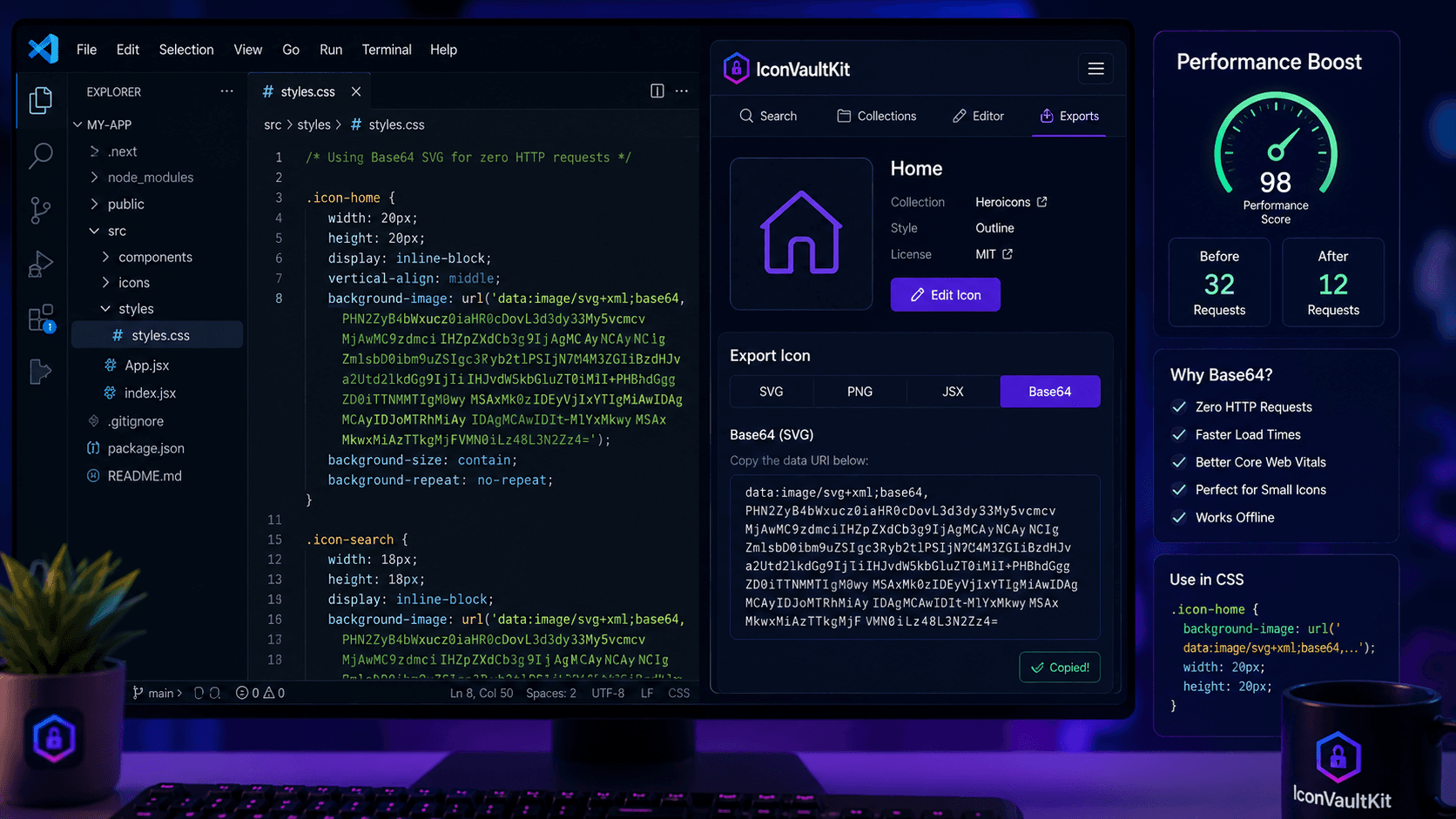
The Problem with External Icon Files
Every icon file is an HTTP request. Every request adds latency. In aggregate, icon requests can add 200-500ms to your page load time - a meaningful cost on slower connections or mobile networks.
Base64: Eliminate the Request
Base64 encoding converts your icon into a text string that lives inside your HTML or CSS. Zero file requests. Zero latency. The icon arrives with the document it's embedded in.
.icon-home {
  background-image: url('data:image/svg+xml;base64,...');
}
IconVaultKit Makes It Instant
- Find and customize your icon
- Click the Base64 export option
- Copy the data URI to clipboard
- Paste into your HTML or CSS
The entire process takes under 20 seconds. No terminal commands. No online converters. No friction.
When to Use Base64
- Small icons repeated across many pages (nav, buttons, form elements)
- CSS pseudo-element icons (::before, ::after)
- Email templates where external images are blocked
- PWA offline mode - everything must be bundled
Trade-offs to Know
Base64 increases file size by ~33%. For a 2KB SVG, that's 2.67KB - a negligible increase for small icons. But avoid Base64 for large images where the size penalty becomes significant.
Result: Faster, Cleaner Pages
Pages using Base64 icons for small UI elements consistently score better on performance audits. Fewer requests, faster rendering, better Lighthouse scores. It's a small change with real impact.
Conclusion
Base64 export is one of those small optimizations that pays dividends across every page of your site. IconVaultKit makes it effortless. Start embedding smarter today.