
Why a Package?
IconVaultKit started as a browser tool: search, preview, copy, download. That covers the visual design workflow well. But developers often need icons in places where a browser tab doesn't help.
A build script that generates an icon sprite. A server-side component that embeds SVGs without a client-side import. A CLI tool that writes icon files to disk. A design token pipeline that exports icon metadata alongside colors and typography.
The iconvaultkit npm package covers all of these. It's a TypeScript-first client that talks to the same underlying icon data as the website, with no API key and no account required.
Install
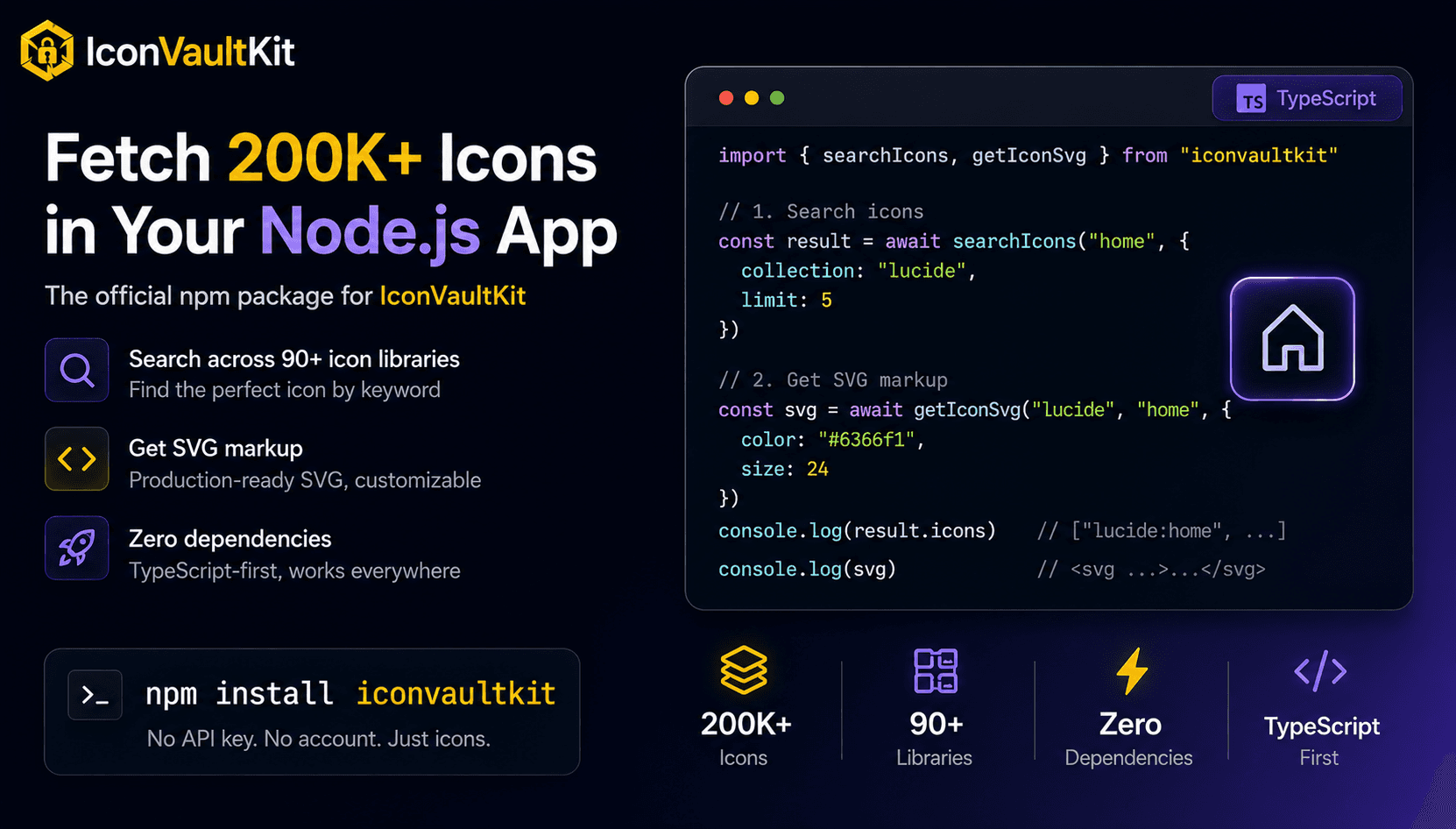
npm install iconvaultkitWorks with Node.js 18+, Bun, Deno, and modern browsers. Zero dependencies.
Quick Start
import { searchIcons, getIconSvg } from "iconvaultkit"

// Search across all 90+ libraries
const result = await searchIcons("home")
console.log(result.icons)
// ["mdi:home", "lucide:home", "heroicons:home", ...]

// Search within one library
const lucide = await searchIcons("home", { collection: "lucide", limit: 5 })

// Fetch the SVG markup
const svg = await getIconSvg("lucide", "home", { color: "#6366f1", size: 24 })
// <svg xmlns="http://www.w3.org/2000/svg" width="24" height="24" ...>...</svg>
That's the whole API for the most common use case. Search for an icon by keyword, fetch its SVG, use it.
All Six Functions
The package exports six standalone functions and an IconVaultKit class for when you need a custom configuration.
searchIcons(query, options?)
Search by keyword. Returns icon IDs in "collection:name" format alongside the total match count.
const result = await searchIcons("arrow right", { collection: "tabler", limit: 10 })
// result.icons  → ["tabler:arrow-right", "tabler:arrow-right-bar", ...]
// result.total  → 47
getIconSvg(collection, name, options?)
Fetch raw SVG markup for a specific icon. Accepts color, size, width, and height.
const svg = await getIconSvg("heroicons", "bell", { color: "currentColor", size: 20 })listCollections()
Returns all 90+ available libraries synchronously. No network request.
const libs = listCollections()
// [{ prefix: "mdi", name: "Material Design Icons" }, { prefix: "lucide", name: "Lucide" }, ...]
getCollectionIcons(collection, options?)
Browse every icon in a specific library.
const icons = await getCollectionIcons("heroicons", { limit: 50 })
// ["heroicons:home", "heroicons:user", "heroicons:bell", ...]
searchAndGetSvg(query, searchOptions?, svgOptions?)
Convenience function: search and immediately return the SVG of the top result.
const result = await searchAndGetSvg("settings", { collection: "lucide" }, { size: 20 })
// result.iconId → "lucide:settings"
// result.svg    → "<svg ...>...</svg>"
parseIconId(iconId)
Parse a "collection:name" ID into its parts. Synchronous.
const { collection, name } = parseIconId("lucide:arrow-right")
// collection → "lucide"
// name       → "arrow-right"
TypeScript Autocomplete
The package ships a LibraryPrefix union type that covers all 90+ known library prefixes. Your editor will autocomplete them when you pass a collection name.
import type { LibraryPrefix } from "iconvaultkit"

const collection: LibraryPrefix = "lucide"
The union uses the (string & {}) trick so it suggests known prefixes while still accepting any string. You won't get a type error if you pass a prefix that isn't in the list yet.
Real Use Cases
Write an icon to disk
import { getIconSvg } from "iconvaultkit"
import { writeFileSync } from "fs"

const svg = await getIconSvg("lucide", "home", { color: "#000000", size: 48 })
writeFileSync("public/icons/home.svg", svg)
Generate an icon sprite at build time
import { getCollectionIcons, getIconSvg } from "iconvaultkit"
import { writeFileSync } from "fs"

const icons = await getCollectionIcons("heroicons", { limit: 200 })
const svgs = await Promise.all(
  icons.map(async (id) => {
    const [collection, name] = id.split(":")
    const svg = await getIconSvg(collection, name)
    return svg
  })
)
writeFileSync("sprite.svg", svgs.join("\n"))
Build a custom icon picker backend
import { searchIcons, getIconSvg, parseIconId } from "iconvaultkit"

// Search endpoint
app.get("/api/icons/search", async (req, res) => {
  const result = await searchIcons(req.query.q, { limit: 20 })
  res.json(result)
})

// SVG endpoint
app.get("/api/icons/:id", async (req, res) => {
  const { collection, name } = parseIconId(req.params.id)
  const svg = await getIconSvg(collection, name)
  res.type("image/svg+xml").send(svg)
})
Using the Class Directly
All standalone functions share a default client instance. Use the class when you need a custom base URL, for example pointing at a self-hosted Iconify proxy.
import { IconVaultKit } from "iconvaultkit"

const client = new IconVaultKit({ baseUrl: "https://your-proxy.example.com" })

const result = await client.search("home", { collection: "lucide" })
const svg    = await client.getSvg("lucide", "home", { size: 32 })
No API Key, No Rate Limit Surprises
The package calls the Iconify API under the hood, which is free and openly accessible. There's no account to create and no key to rotate. The same 200,000+ icons from 90+ open-source libraries are available the moment you install.
� If you use Claude Code or Cursor and want your AI agent to search and fetch icons automatically during coding sessions, check out the MCP server at iconvaultkit.com/mcp instead. That's the right tool for the AI agent workflow.
Get Started
Install with npm install iconvaultkit and check the full API reference at iconvaultkit.com/npm. If you hit anything unexpected, reach out at info@iconvaultkit.com.