Understanding the Four Export Formats
SVG (Scalable Vector Graphics)
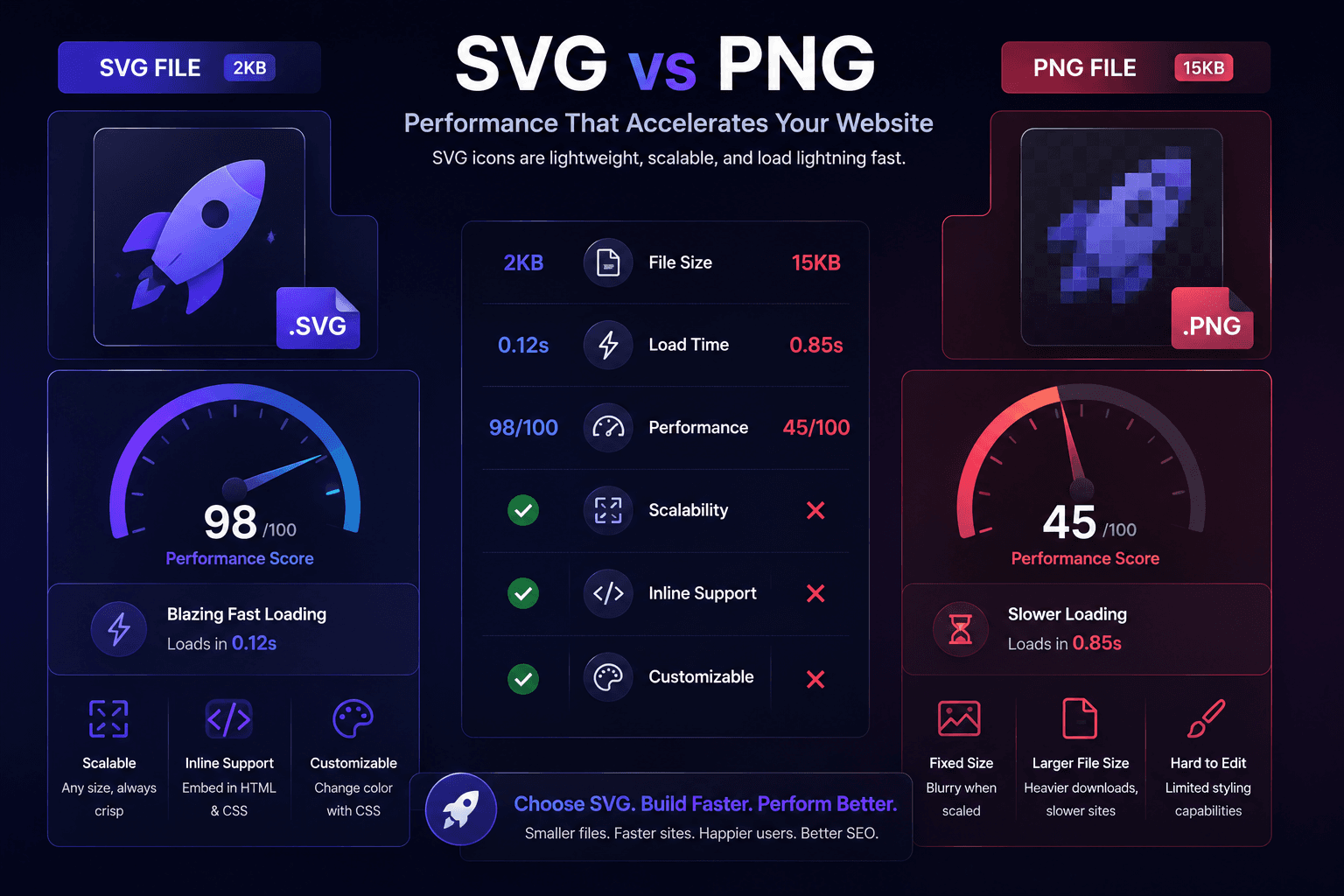
SVG is the gold standard for web icons. As a vector format, SVG files scale infinitely without quality loss - from a 16px favicon to a 500px hero illustration, a single SVG looks crisp on every device and pixel density (including Retina/HiDPI displays).
SVGs are also text-based (XML), which means they can be compressed with Gzip/Brotli, styled with CSS, animated with JavaScript, and made accessible with aria attributes.
Best for: Navigation icons, UI elements, logos, any icon displayed at variable sizes
PNG (Portable Network Graphic)
PNG is a raster format - it stores pixel data at a fixed resolution. For icons, PNG works well when you need broad compatibility (older email clients, certain CMS platforms) or when the icon includes complex visual effects that are difficult to replicate in SVG.
Best for: Email templates, platforms that don't support SVG, social media open graph images
JSX (React Component)
The JSX export wraps your icon's SVG code inside a React functional component. This lets you import icons directly into your React codebase and control them with props - changing color, size, and other attributes dynamically.
Best for: React and Next.js applications, component-driven design systems
Base64 (Data URI)
Base64 encoding converts your icon file into a text string that can be embedded directly in HTML, CSS, or JavaScript - eliminating a separate file request. This reduces the number of HTTP requests and can improve performance for small, frequently-used icons.
Best for: CSS background images, inline HTML, performance-critical pages, email signatures
Performance Impact: Why SVG Wins for Most Use Cases
The performance advantages of SVG icons are substantial:
- File size: A typical SVG icon is 1-5KB. The equivalent PNG at 2x resolution for Retina is 10-50KB.
- HTTP requests: An SVG sprite or inline SVG can deliver hundreds of icons in a single request.
- Cacheability: SVG files cache excellently in browsers and CDNs.
- No @2x needed: One SVG file handles all screen densities, eliminating the need for multiple resolution variants.
How to Export from IconVaultKit
Exporting from IconVaultKit is a three-step process:
- Search and find your icon using the search bar or browse by collection.
- Customize color, stroke width, and size in the real-time preview panel.
- Click your desired export format: SVG, PNG, JSX, or Base64 - and download or copy to clipboard.
The entire process takes under 30 seconds, and your icon arrives pre-customized and ready to drop into your project.
Implementing SVG Icons: Best Practices
Once you have your SVG, here's how to implement it optimally:
Inline SVG
Pasting SVG code directly into your HTML gives you the most control - you can style it with CSS variables and animate it with JavaScript. Best for icons that need to respond to theme changes (e.g., dark mode).
SVG Sprite
Combine all your project's SVGs into a single sprite file and reference them by ID. This reduces HTTP requests and improves caching. Ideal for large projects with many icons.
IMG Tag with SVG src
The simplest method - use an img tag pointing to your SVG file. Less flexible (can't be styled with external CSS) but works everywhere and requires no JavaScript.
Accessibility Considerations
Whatever format you choose, make icons accessible:
- Add aria-label to standalone icons that convey meaning.
- Use aria-hidden='true' on decorative icons so screen readers skip them.
- Ensure color isn't the only way meaning is conveyed.
- Test with a screen reader to verify the icon experience is correct.
Conclusion
IconVaultKit's four export options - SVG, PNG, JSX, and Base64 - give developers exactly the right format for every situation. By choosing the right format for each use case, you'll build websites that are faster, more scalable, and easier to maintain.
Start with SVG as your default, reach for Base64 for performance-critical inline cases, use JSX for your React components, and keep PNG as your fallback for legacy contexts. With IconVaultKit, switching between them takes seconds.